Gym Access · iPhone & Android
Your phone is your key.
The GymFront app opens the door at Performance Lab Grimsby — no fob, no card, no staffed hours. Download it, sign in, scan in.
No app? Use the web app — same QR code, any browser.
How it works
Three steps to the door
Step 1: Download
Get GymFront from the App Store or Google Play. No app? The web app works too.
Step 2: Sign in
Use the email address you joined with. Your QR code appears once your membership is active.
Step 3: Scan & train
Hold your QR code up to the scanner at the entrance. Contactless, open 24/7.
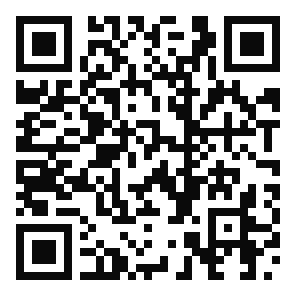
On a computer?
Point your phone's camera here.
It opens this page on your phone, which takes you straight to the right store.
Help
Getting in
I used FitSense before — do I still need it?
No. FitSense has been retired. GymFront is the app for Performance Lab now, and it’s where your door QR code lives.
I can’t sign in.
Make sure you’re using the email address you joined with, then tap “Forgot password” on the sign-in screen. Still stuck? Email us and we’ll sort it.
My phone won’t install apps / I’d rather not.
Open the web app in any browser and sign in. It shows the same QR code as the app.
I signed in but there’s no QR code.
Your QR code shows once your membership is active. If you’ve just joined and it hasn’t appeared, email us.
Not a member yet?
Pick a membership and join online in a few minutes. You’ll get straight into the app afterwards.
See membershipsReady? Get GymFront now.
No app? Use the web app — same QR code, any browser.
Still stuck? Email performancelabgrimsby@gmail.com.